Offline source reader | preserved content, not new verification
Vital community documentation.pdf
Preserved third-party source, not an ORMAN project instruction. Complete extracted article text is followed by every retained figure and its separately labeled project observation. Original files remain unchanged. For PDFs, use the original page images when extracted glyphs are unclear. Linked external audio/video and external repository trees were not part of the retained snapshot.
Vital community documentation.pdf | Page 1 | documentation and visible configuration; not a new native test
Community manual / Page 1
Retained observation
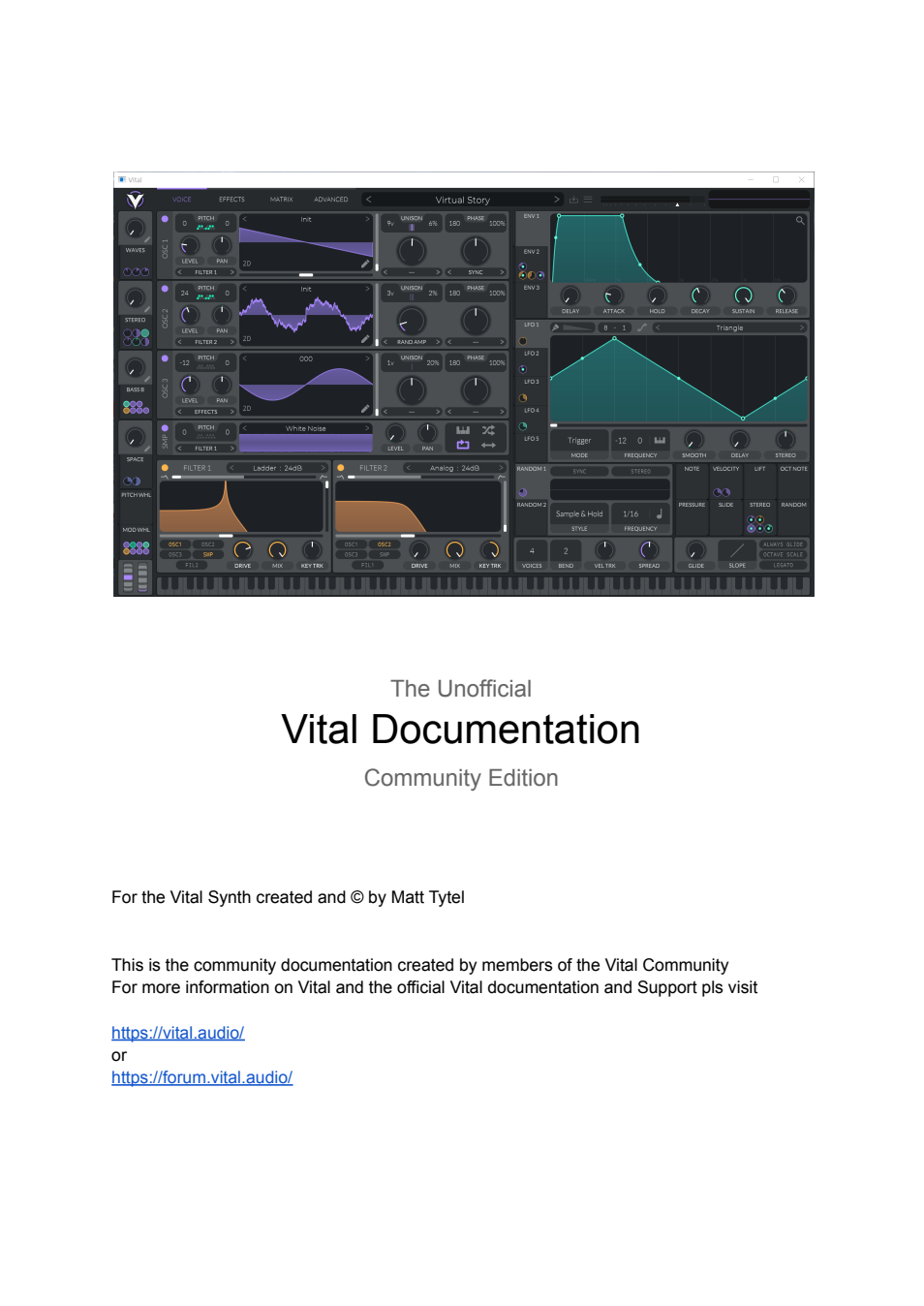
The cover uses a complete multi-oscillator patch with both filters and several modulator assignments. It introduces the full instrument surface, not a minimal wavetable-only workflow. The patch is an illustration, not reference truth.
Vital community documentation.pdf | Page 2 | documentation and visible configuration; not a new native test
Community manual / Page 2
Retained observation
This is a community-authored document with support/credit links, not official binary documentation. Preserve the source provenance without devaluing its practical controls. No contact or contribution request was performed.
Vital community documentation.pdf | Page 3 | documentation and visible configuration; not a new native test
Community manual / Page 3
Retained observation
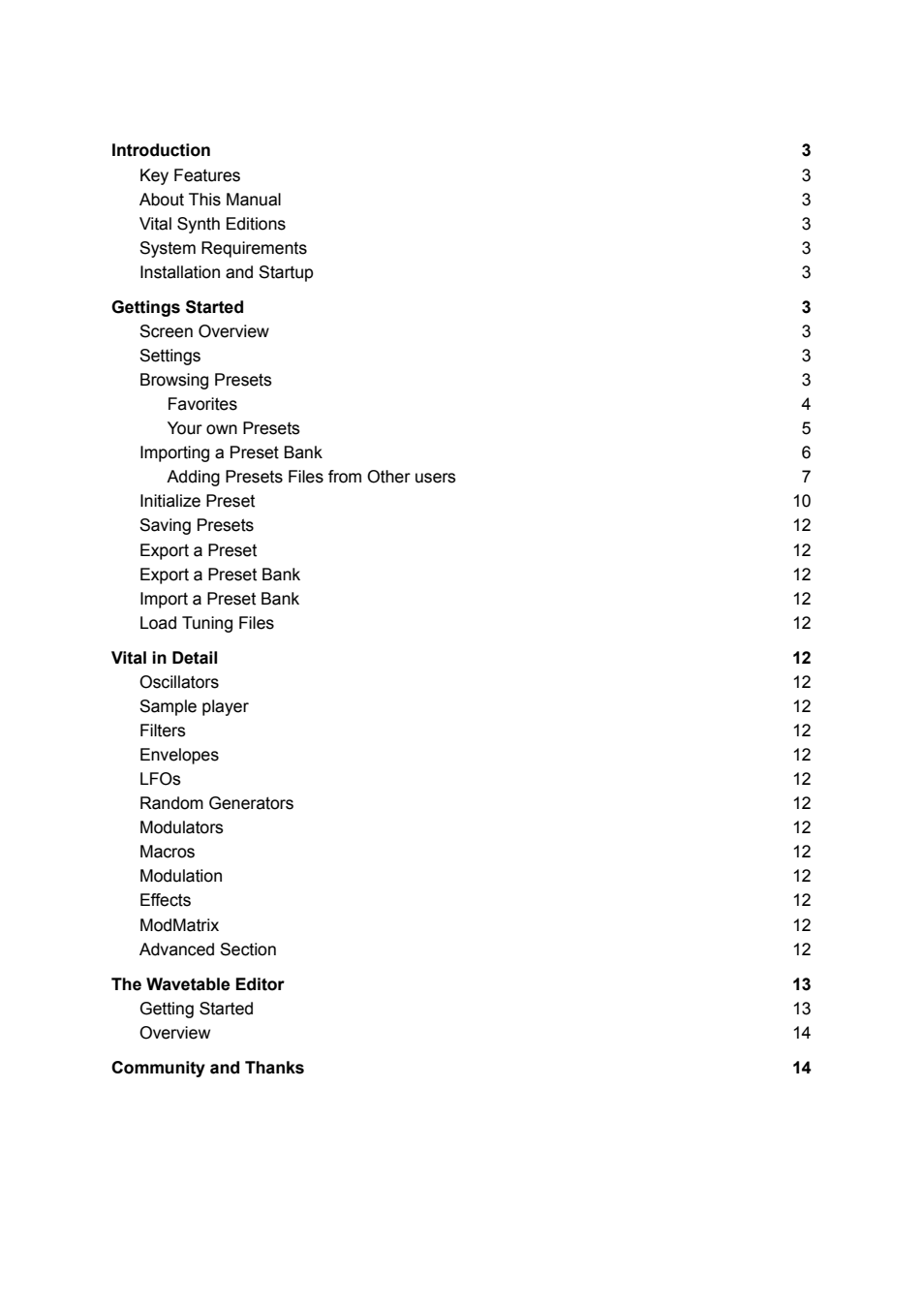
The contents include preset handling, oscillator/sample/filter controls, envelopes, LFOs, matrix and editor. Some sections later contain placeholders; their absence is a documentation gap, not missing functionality in Vital.
Vital community documentation.pdf | Page 4 | documentation and visible configuration; not a new native test
Community manual / Page 4
Retained observation
The version/system text is dated to Vital 1.0.7 in 2021. Keep date and platform context when using installation examples; do not change our environment to match them. This page contains no synthesis diagram.
Vital community documentation.pdf | Page 5 | documentation and visible configuration; not a new native test
Community manual / Page 5
Retained observation
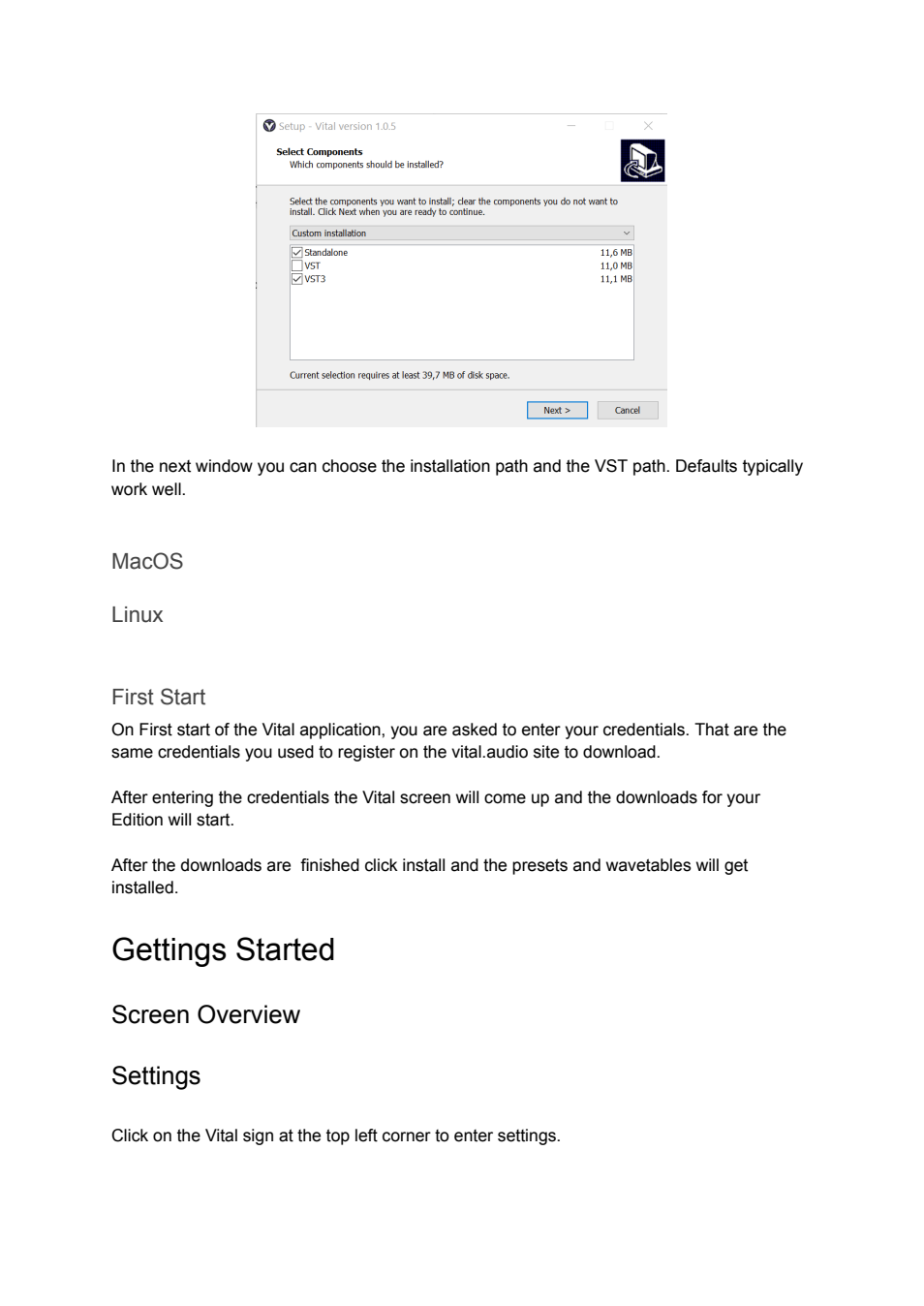
The Windows installer screenshot separates standalone, VST and VST3 components. It is an installation example, not evidence about our installed Mac host or a reason to reinstall. Retained as operational context.
Vital community documentation.pdf | Page 6 | documentation and visible configuration; not a new native test
Community manual / Page 6
Retained observation
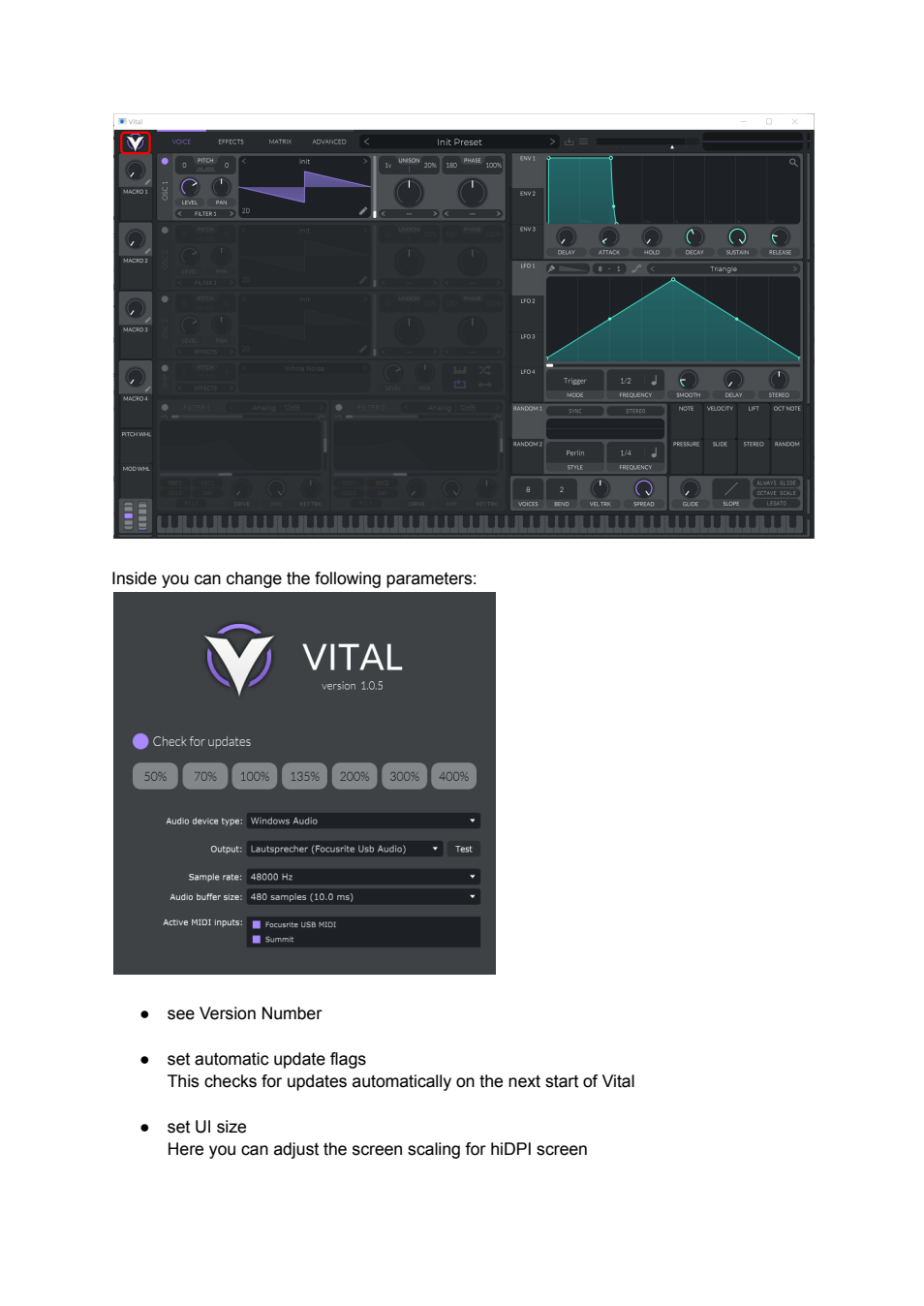
The marked Vital logo opens a panel with version, UI scale, audio device, sample rate/buffer and MIDI inputs. These settings explain how a live standalone session is connected; they are not equivalent to saved sound parameters.
Vital community documentation.pdf | Page 7 | documentation and visible configuration; not a new native test
Community manual / Page 7
Retained observation
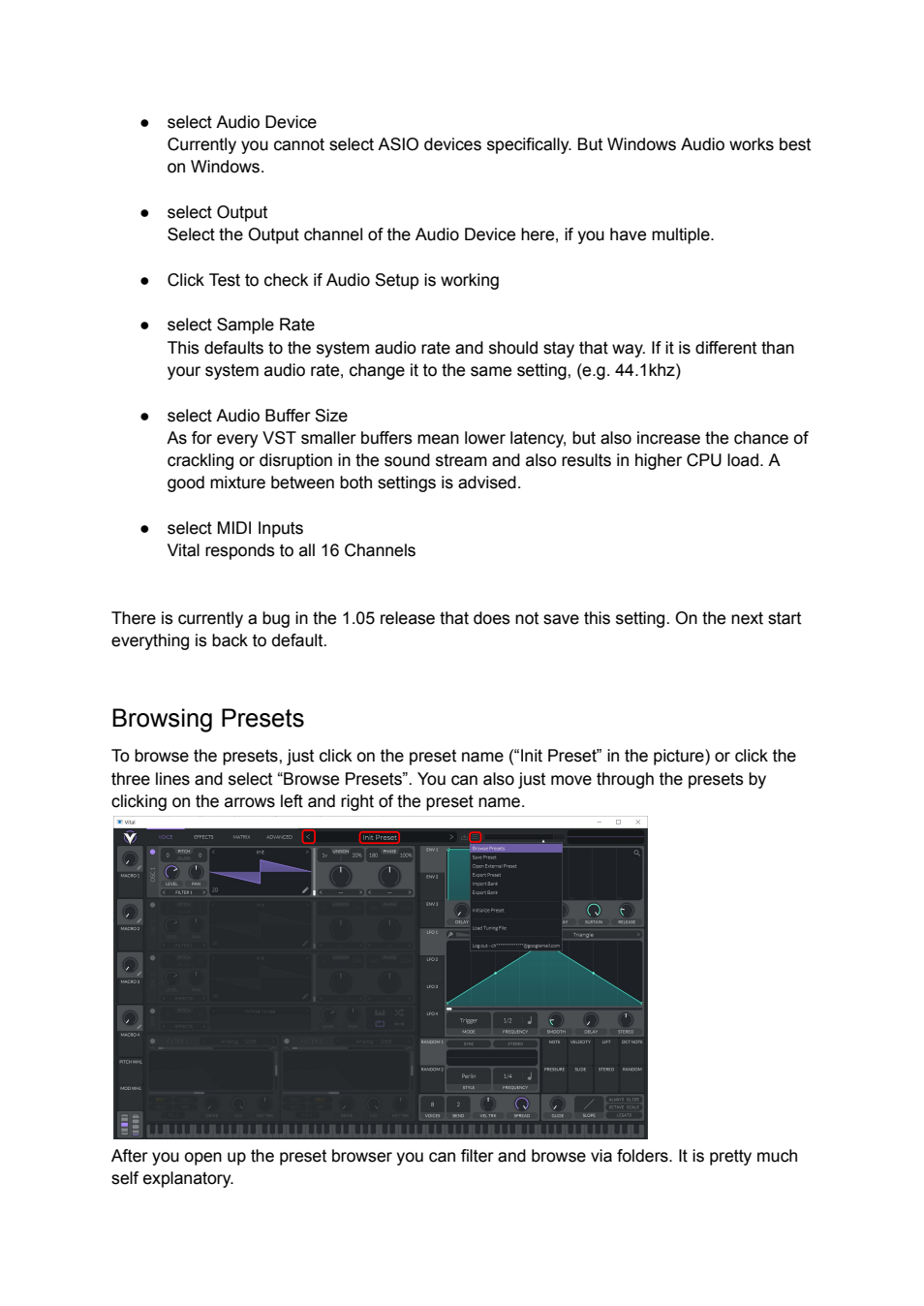
The main menu gives a route to the preset browser. The accompanying buffer/rate discussion distinguishes audio-host problems from synthesis. Capture the active host configuration when investigating glitches; an old version-specific settings bug is not automatically a present failure.
Vital community documentation.pdf | Page 8 | documentation and visible configuration; not a new native test
Community manual / Page 8
Retained observation
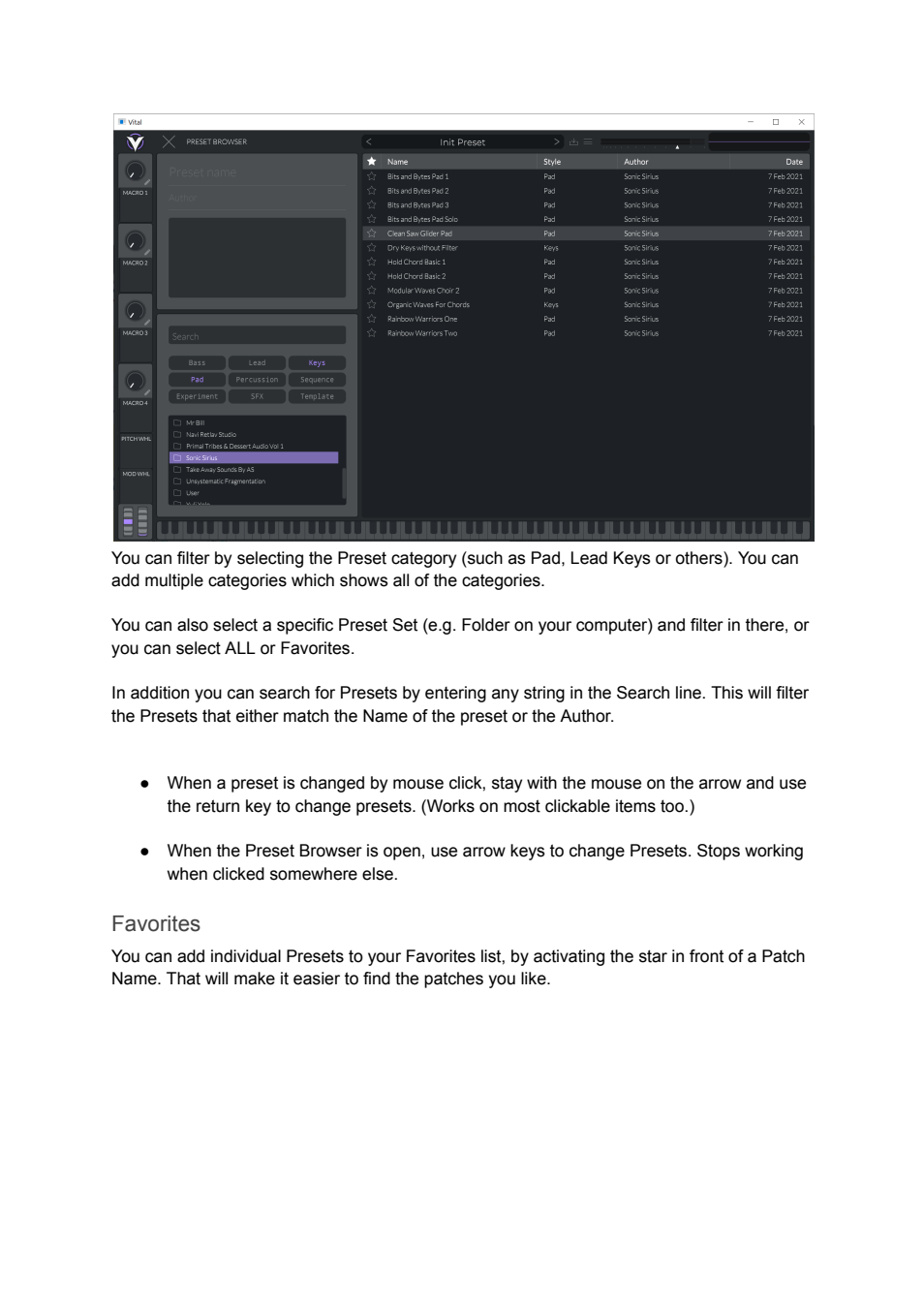
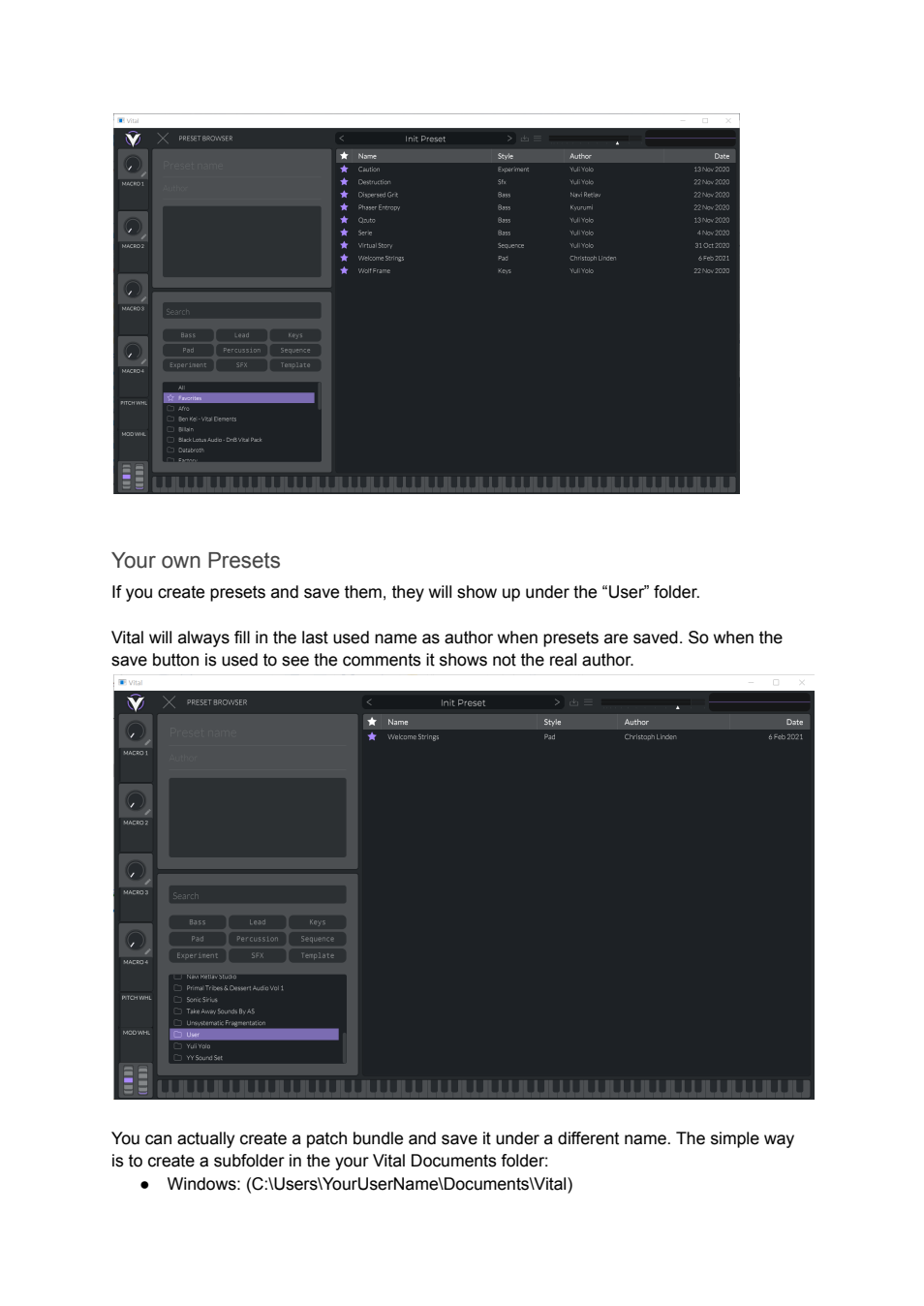
The browser shows folder/category filters, search, favorites and metadata. These are retrieval tools for retaining working ingredients and complete patches, not an acoustic similarity engine. Categories do not prove a sound's mechanism.
Vital community documentation.pdf | Page 9 | documentation and visible configuration; not a new native test
Community manual / Page 9
Retained observation
User/factory folders and preset metadata appear separately. Preserving original identity and a research copy prevents experiments overwriting the source. The author-field warning is historical UI behavior, not a license/provenance fact.
Vital community documentation.pdf | Page 10 | documentation and visible configuration; not a new native test
Community manual / Page 10
Retained observation
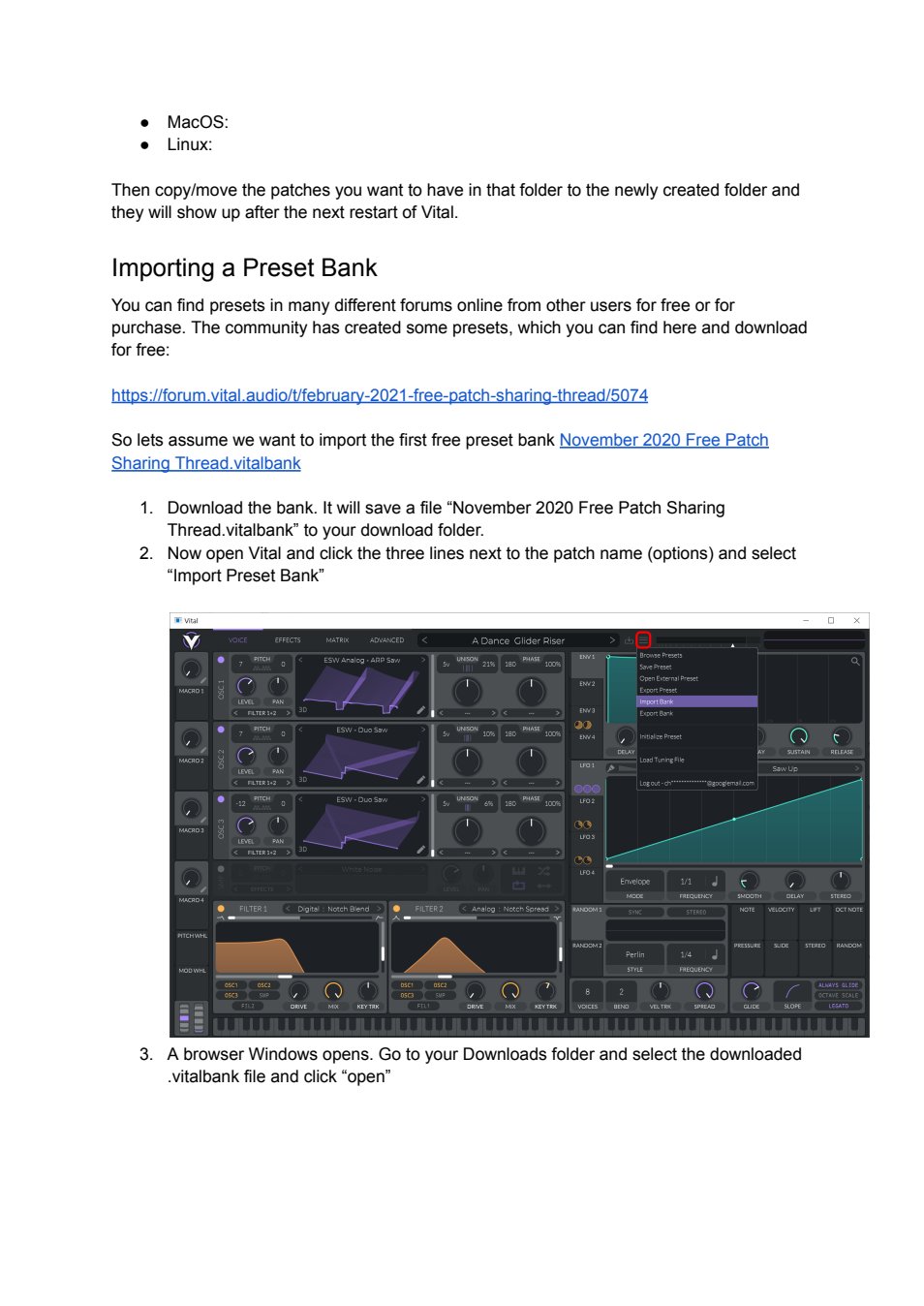
The Import Bank command and its menu position are highlighted. A bank packages presets/resources; it is not the same operation as loading one external preset. No bank installation was performed in this review.
Vital community documentation.pdf | Page 11 | documentation and visible configuration; not a new native test
Community manual / Page 11
Retained observation
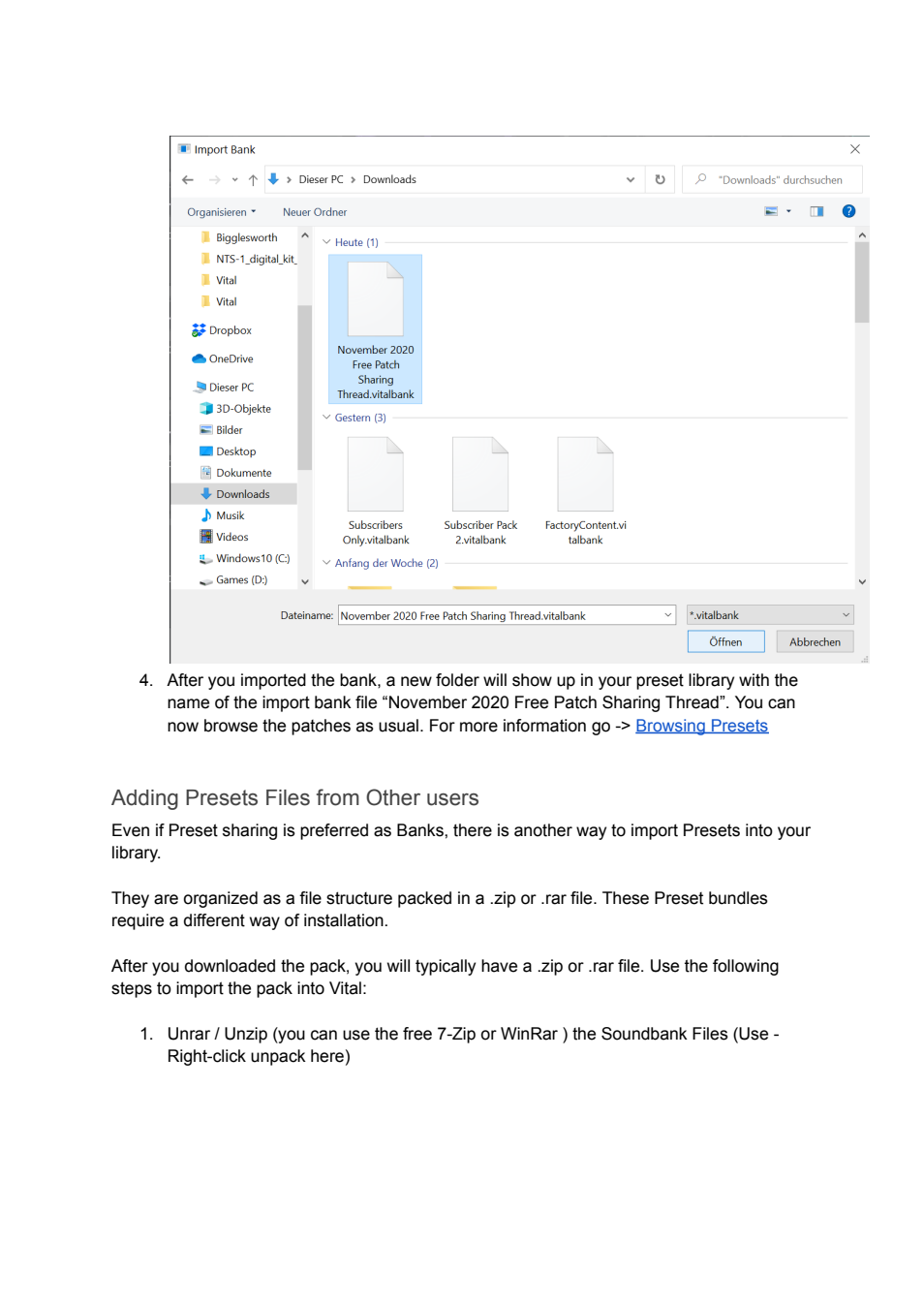
The bank file picker illustrates the .vitalbank route; following text introduces ordinary archive bundles. Retain packaging distinctions for future editable delivery, without interpreting an archive's presence as successful native load.
Vital community documentation.pdf | Page 12 | documentation and visible configuration; not a new native test
Community manual / Page 12
Retained observation
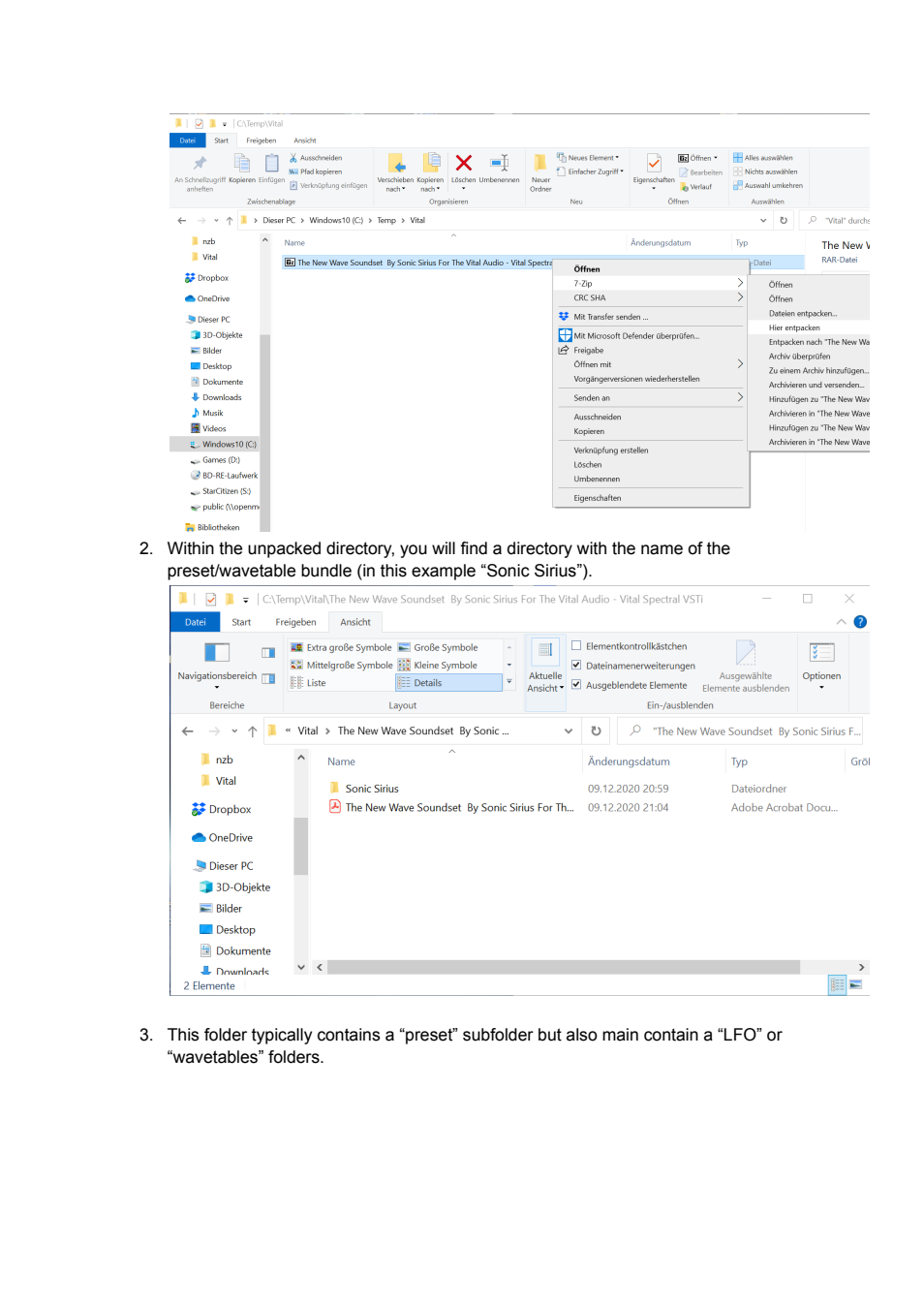
File-manager screenshots show extraction of a bundle and its top-level folder. The useful operational lesson is retaining the bundle hierarchy and dependencies. These are source screenshots, not access to the owner's unrelated directories.
Vital community documentation.pdf | Page 13 | documentation and visible configuration; not a new native test
Community manual / Page 13
Retained observation
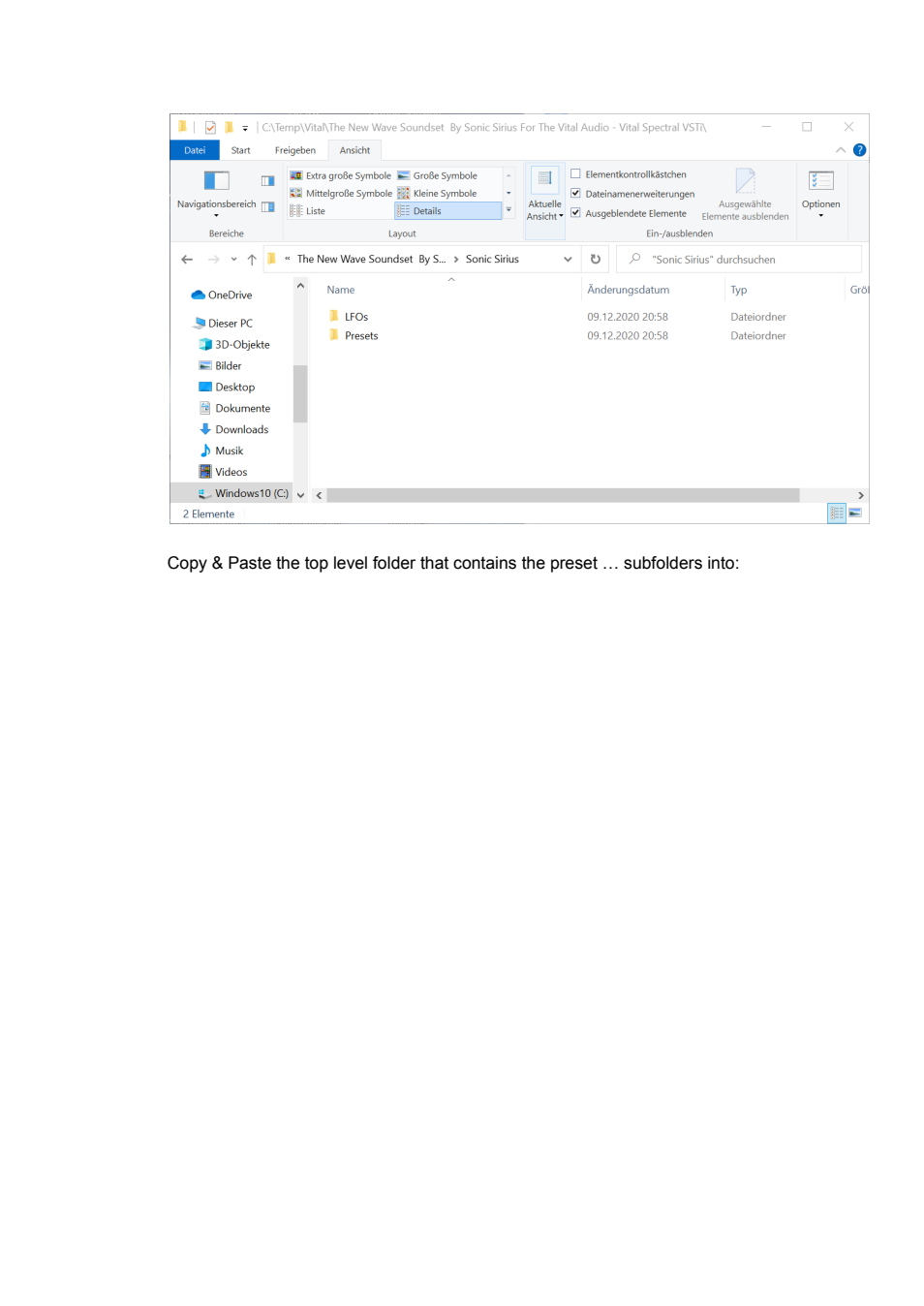
The example folder contains LFOs and Presets. A reusable resource collection can contain more than patch files; motion shapes merit preservation too. This does not require every exported instrument to depend on external LFO files.
Vital community documentation.pdf | Page 14 | documentation and visible configuration; not a new native test
Community manual / Page 14
Retained observation
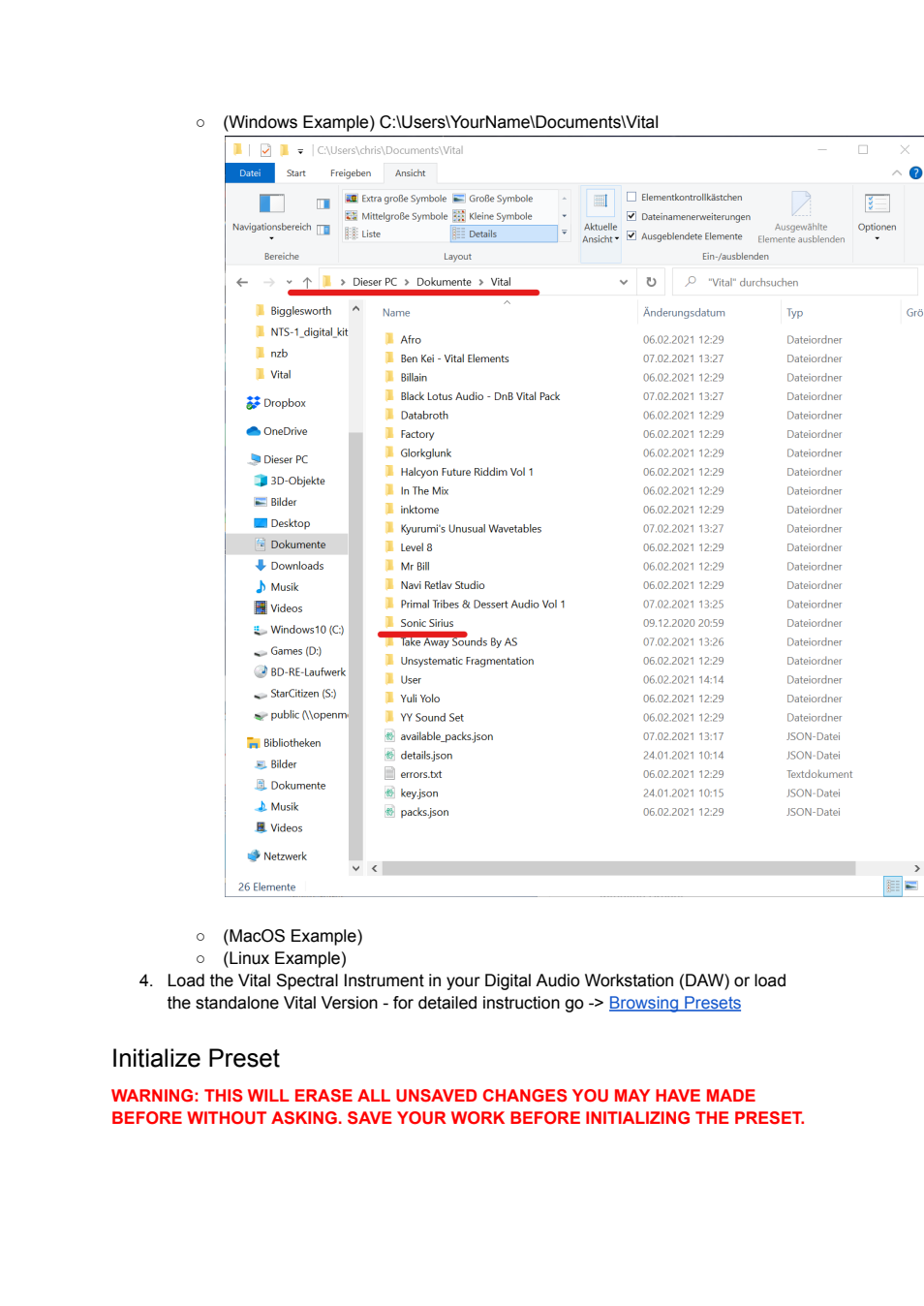
The library root receives the top-level bundle. A red warning notes that Initialize discards unsaved state. Use research copies and save current state before deliberate resets; no live reset was done here.
Vital community documentation.pdf | Page 15 | documentation and visible configuration; not a new native test
Community manual / Page 15
Retained observation
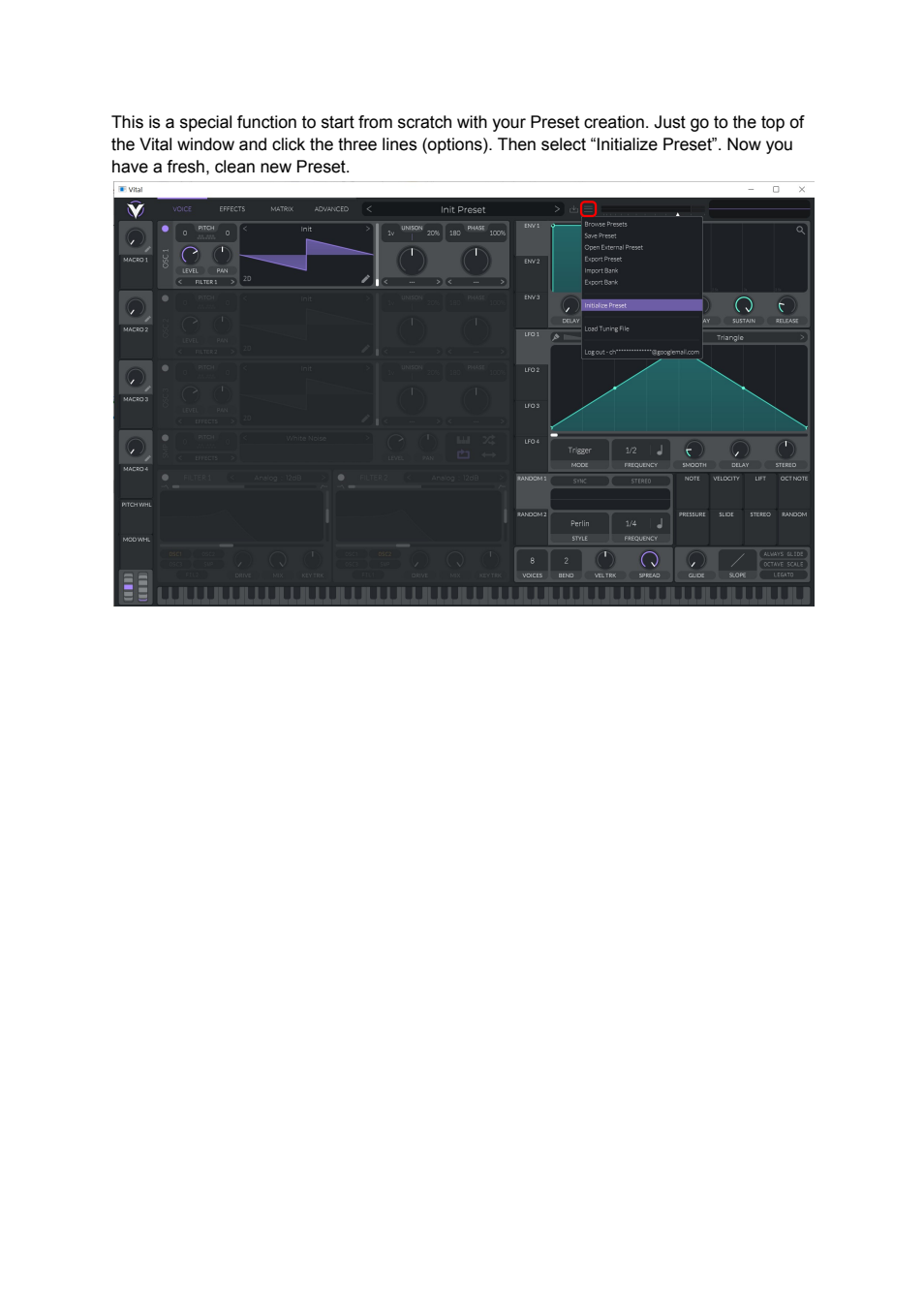
Initialize Preset is highlighted in the menu. It is an explicit reset operation, not a prerequisite for every improvement. Our objective remains complementing useful constructions rather than repeatedly starting from INIT.
Vital community documentation.pdf | Page 16 | documentation and visible configuration; not a new native test
Community manual / Page 16
Retained observation
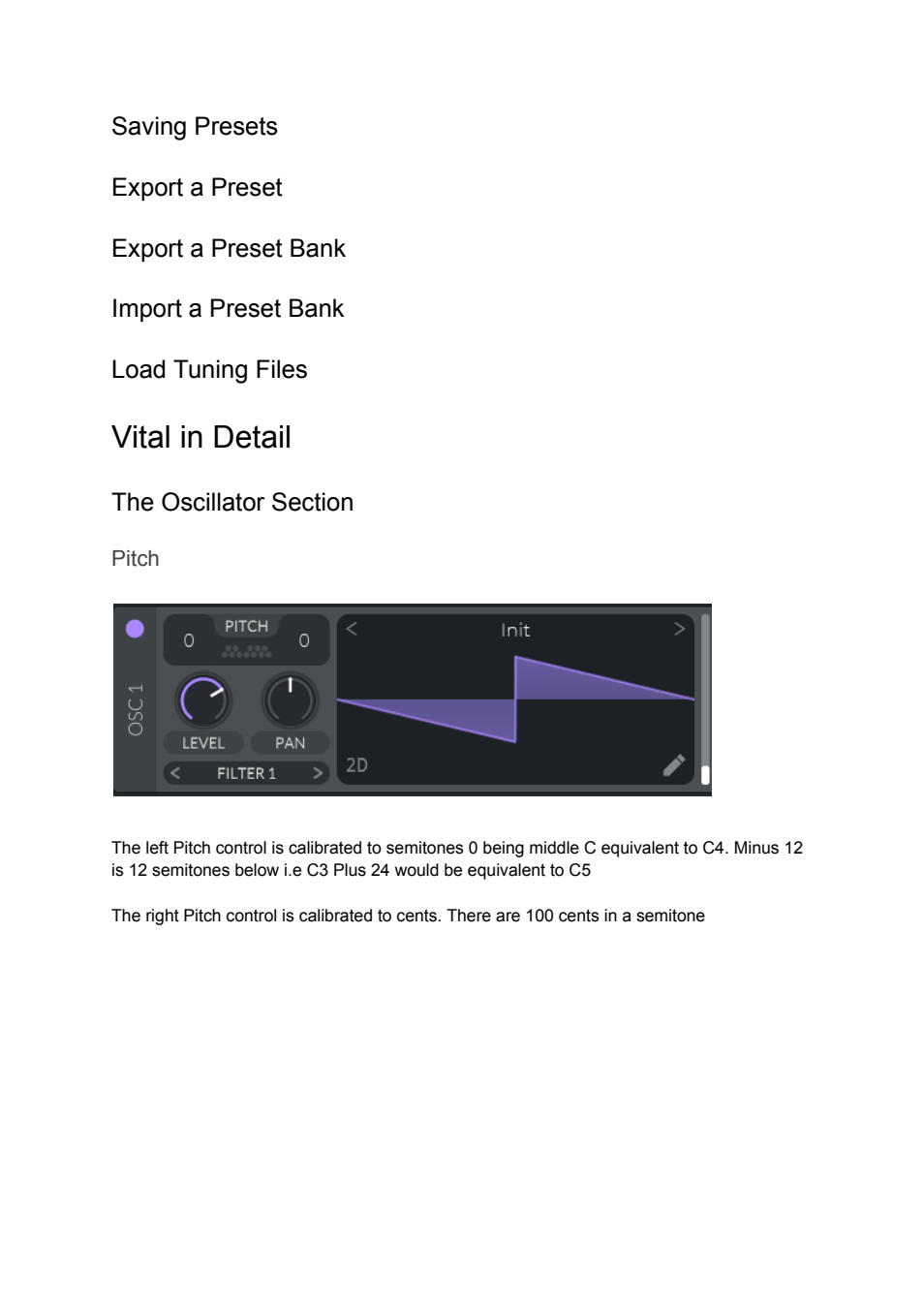
The oscillator crop locates coarse/fine pitch and the frame selector. Several export/tuning headings on this page are unfilled, so they should not be cited as detailed instructions. Coarse pitch is a transposition of incoming notes, not a fixed MIDI pitch value.
Vital community documentation.pdf | Page 17 | documentation and visible configuration; not a new native test
Community manual / Page 17
Retained observation
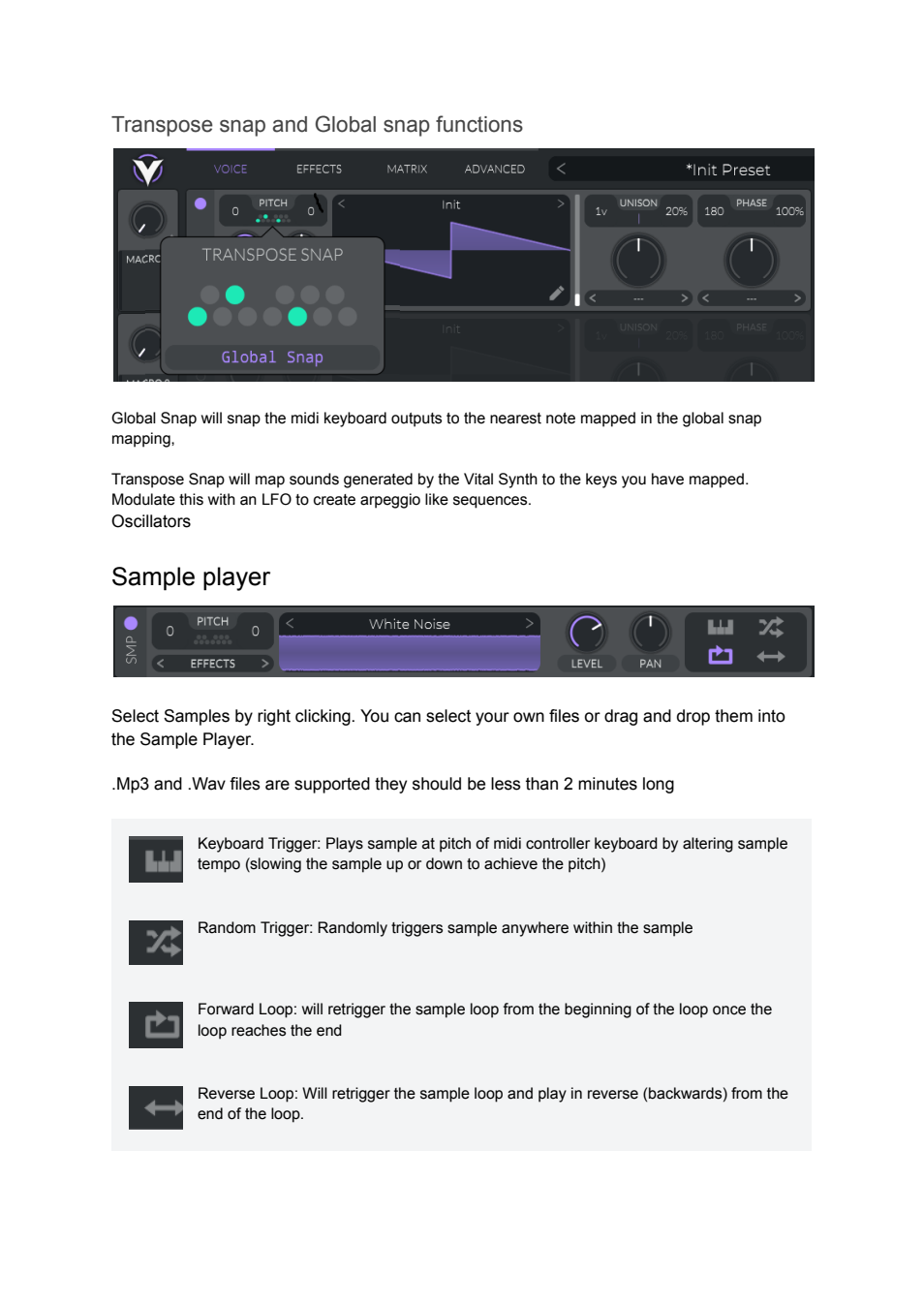
The transpose-snap overlay and four sample playback icons are individually illustrated. Snap can turn continuous pitch modulation into discrete pitches; sample note tracking changes playback rate, random start changes entry point, and loops determine repeated traversal. Preserve all four switches, not a single "sample enabled" flag.
Vital community documentation.pdf | Page 18 | documentation and visible configuration; not a new native test
Community manual / Page 18
Retained observation
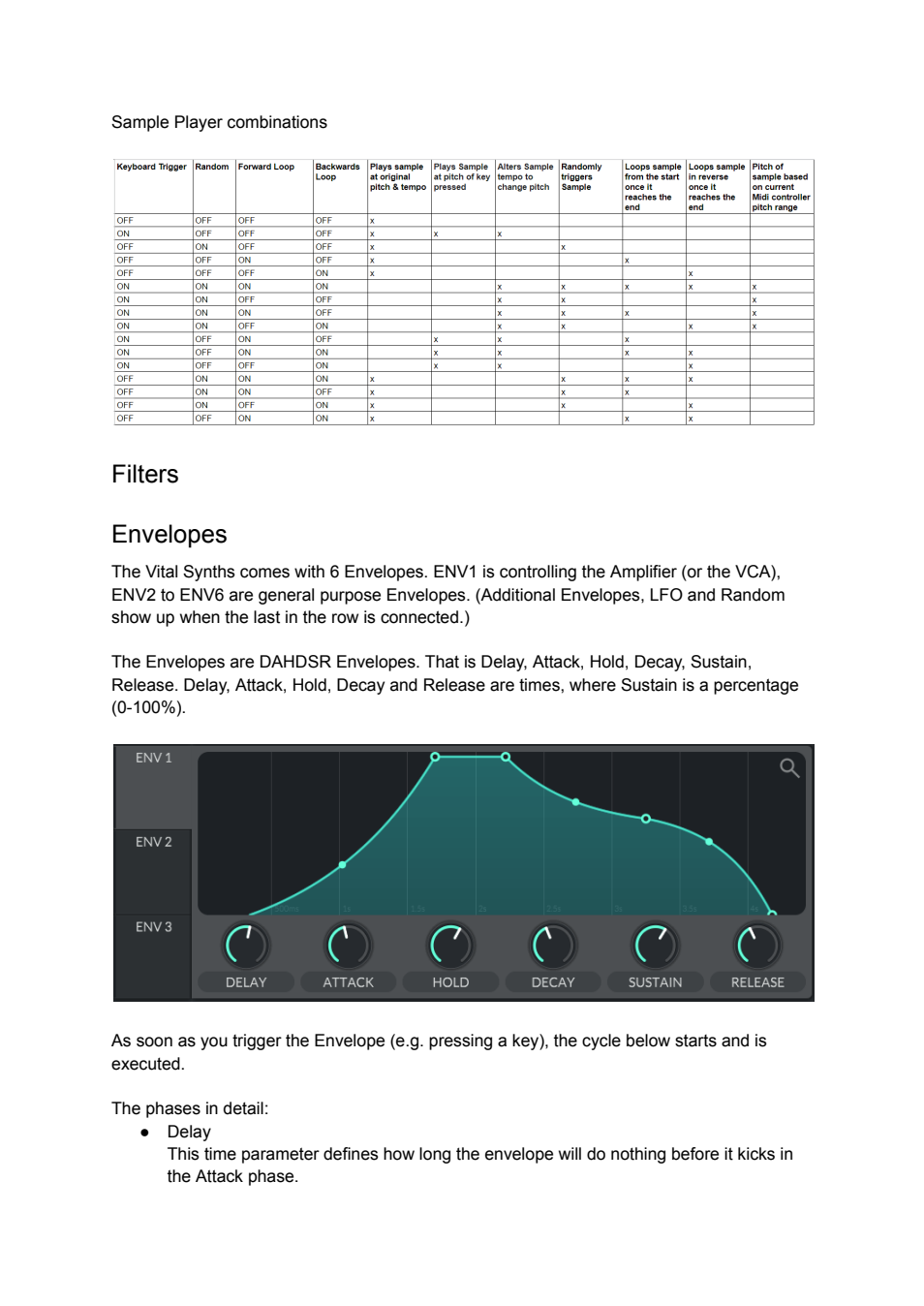
The sample-player combination table makes the interaction of tracking, random start and forward/backward looping explicit. The envelope diagram separately shows delay, attack, hold, decay, sustain and release. Use the table as a playback mode reference; use separate amplitude control for note articulation. The text also explains that additional envelopes appear as earlier ones are assigned.
Vital community documentation.pdf | Page 19 | documentation and visible configuration; not a new native test
Community manual / Page 19
Retained observation
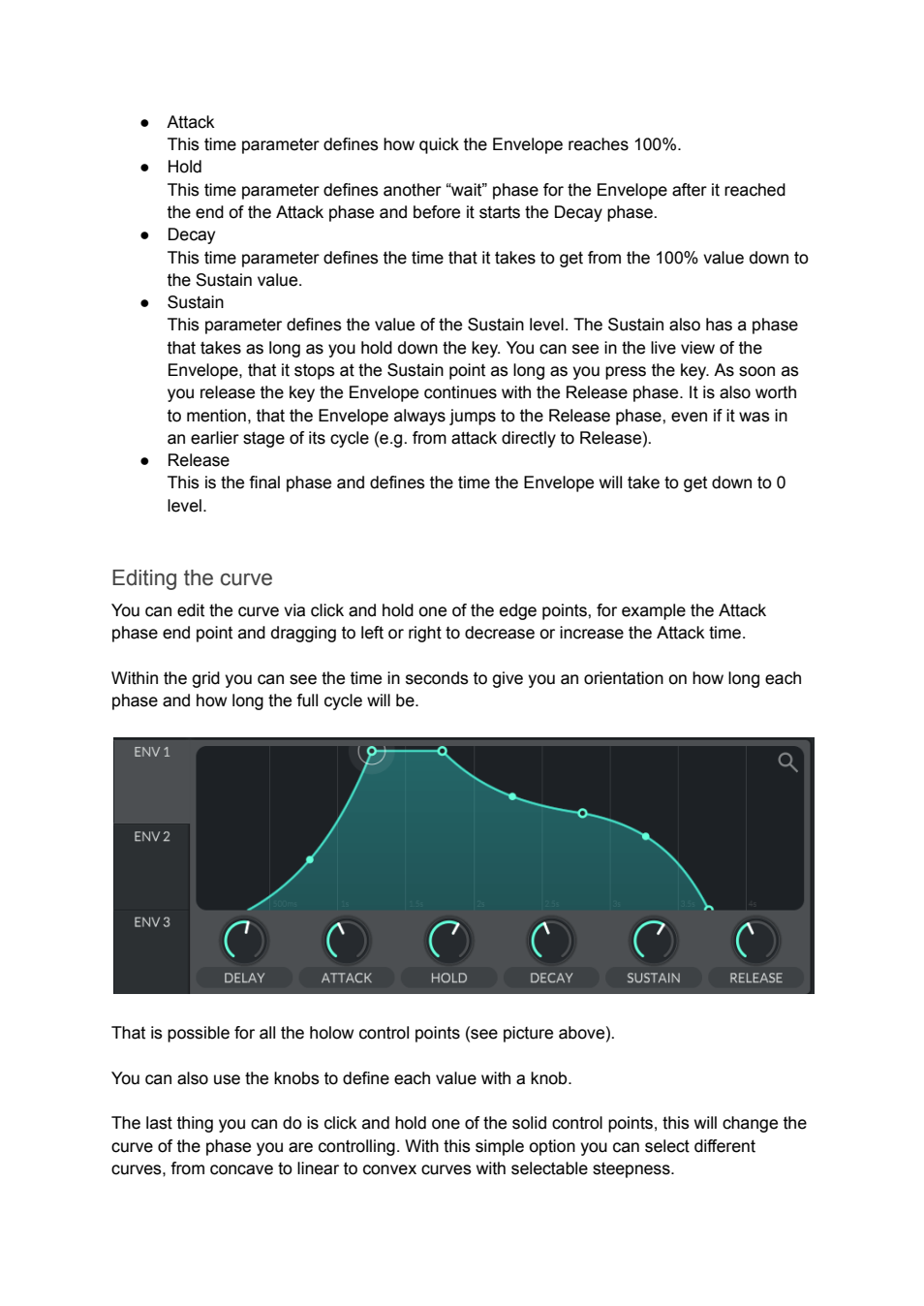
Two envelope diagrams distinguish moving a stage boundary from changing its curvature. This is a direct route to fast/slow energy distribution within an unchanged total duration. The explanation explicitly allows note-off during an earlier stage to transition to release, which matters for duration transfer.
Vital community documentation.pdf | Page 20 | documentation and visible configuration; not a new native test
Community manual / Page 20
Retained observation
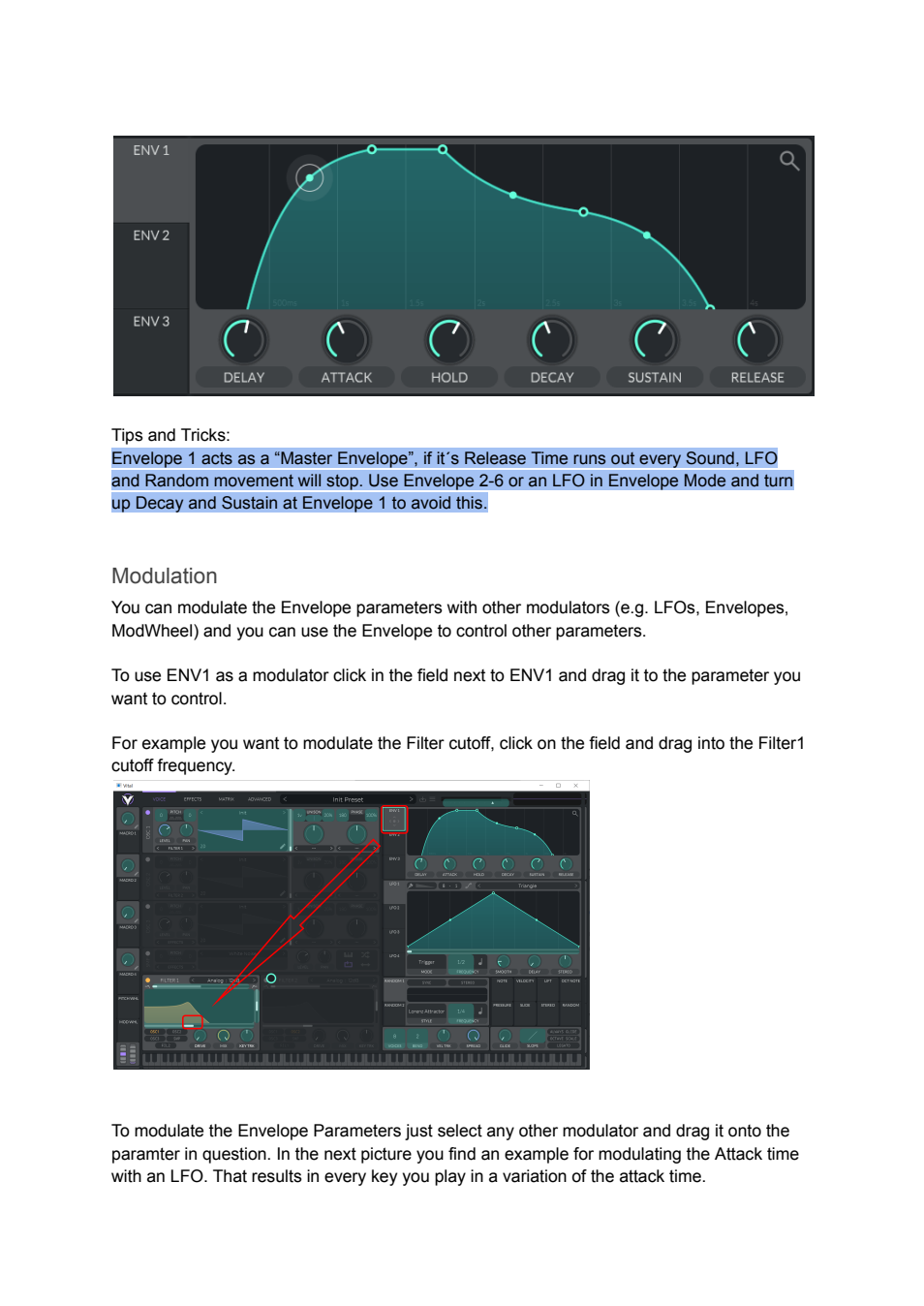
The highlighted ENV1 lifetime warning sits beside an envelope-curve example and an arrow from ENV1 to filter cutoff. It connects audible lifetime, spectral motion and graph assignment. Allocate amplitude and timbre envelopes intentionally so a short ENV1 does not truncate another desired trajectory. The prose also permits modulating envelope parameters themselves, not only their destinations.
Vital community documentation.pdf | Page 21 | documentation and visible configuration; not a new native test
Community manual / Page 21
Retained observation
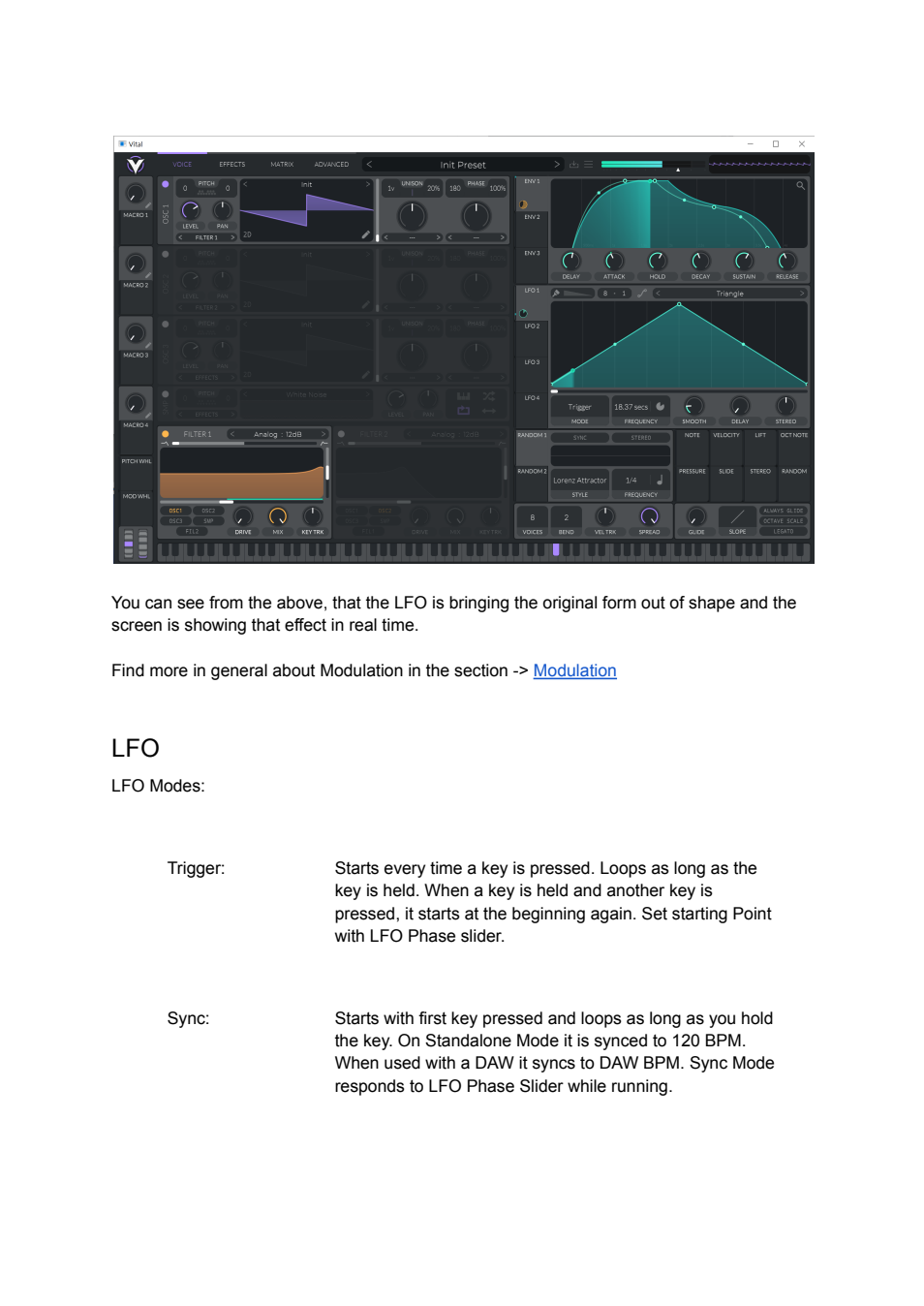
The full-patch image illustrates an LFO changing an envelope parameter and the UI updating its shape. This is modulation of the motion generator, not merely adding a second contour to oscillator level. Use it for variable articulation when that variation is part of the instrument; a still image does not establish the whole live trajectory or prove a specific timing response.
Vital community documentation.pdf | Page 22 | documentation and visible configuration; not a new native test
Community manual / Page 22
Retained observation
Mode descriptions continue for Envelope/Sustain/Loop modes and note controls. Keep start/loop position and note release together when using the mode, rather than inferring behavior from its name. This old prose is not a substitute for the more explicit current mode diagram V42.
Vital community documentation.pdf | Page 23 | documentation and visible configuration; not a new native test
Community manual / Page 23
Retained observation
Lift, octave-relative Note, Pressure, Slide, Stereo and per-note Random have different input meanings. The page also explicitly describes macros as modulatable controls. Use macros to coordinate a family of changes; retain whether expression comes from MIDI, an internal source or a static macro value.
Vital community documentation.pdf | Page 24 | documentation and visible configuration; not a new native test
Community manual / Page 24
Retained observation
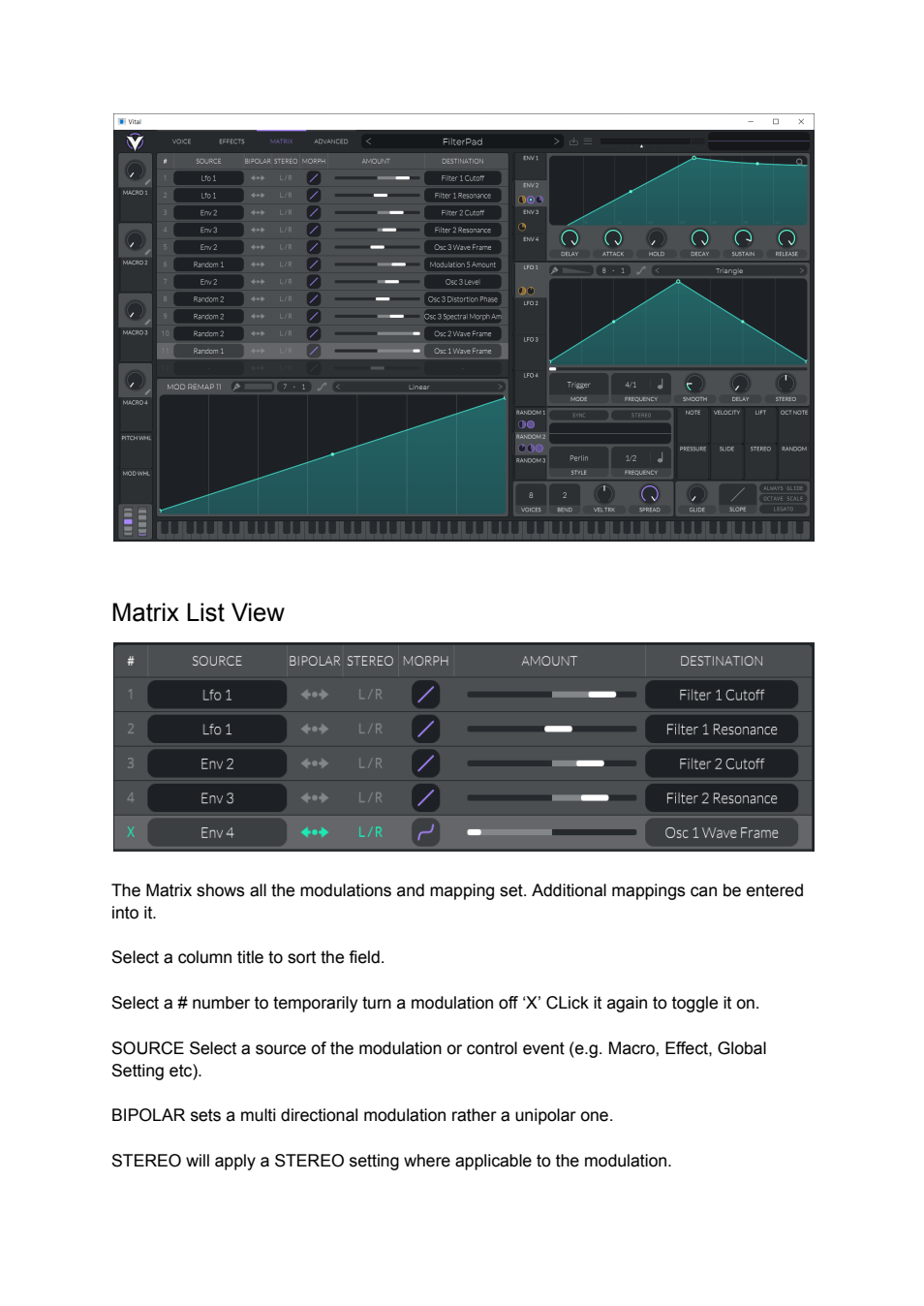
Two example matrix states must not be merged. The upper screenshot includes Random1->Modulation5 Amount, Env2->OSC3 Wave Frame and Level, Random2->OSC3 Distortion Phase/Spectral Morph Amount and OSC2 Wave Frame, and Random1->OSC1 Wave Frame. The lower example assigns LFO1 to Filter1 cutoff/resonance, separate envelopes to Filter2 cutoff/resonance, and bypassed ENV4 to OSC1 Wave Frame with stereo/bipolar flags. These retain nested depth control, independent branch motion and reversible bypass, not merely example amounts.
Vital community documentation.pdf | Page 25 | documentation and visible configuration; not a new native test
Community manual / Page 25
Retained observation
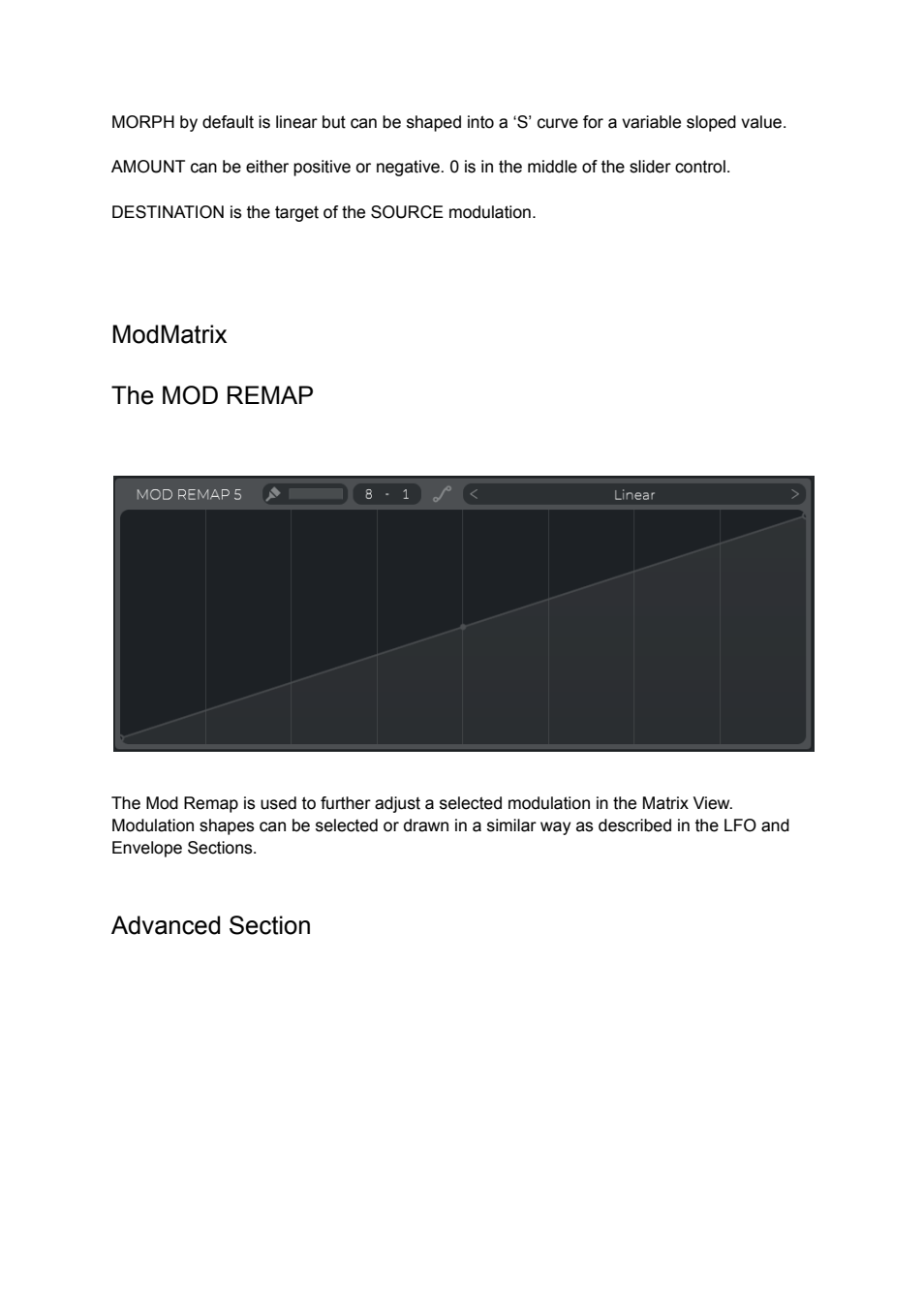
The selected Mod Remap is drawn separately below the matrix. Its curve reshapes that connection; the small Morph control also remains part of the connection. Do not collapse curve, amount and polarity into a single scalar when preserving an expressive mapping.
Vital community documentation.pdf | Page 26 | documentation and visible configuration; not a new native test
Community manual / Page 26
Retained observation
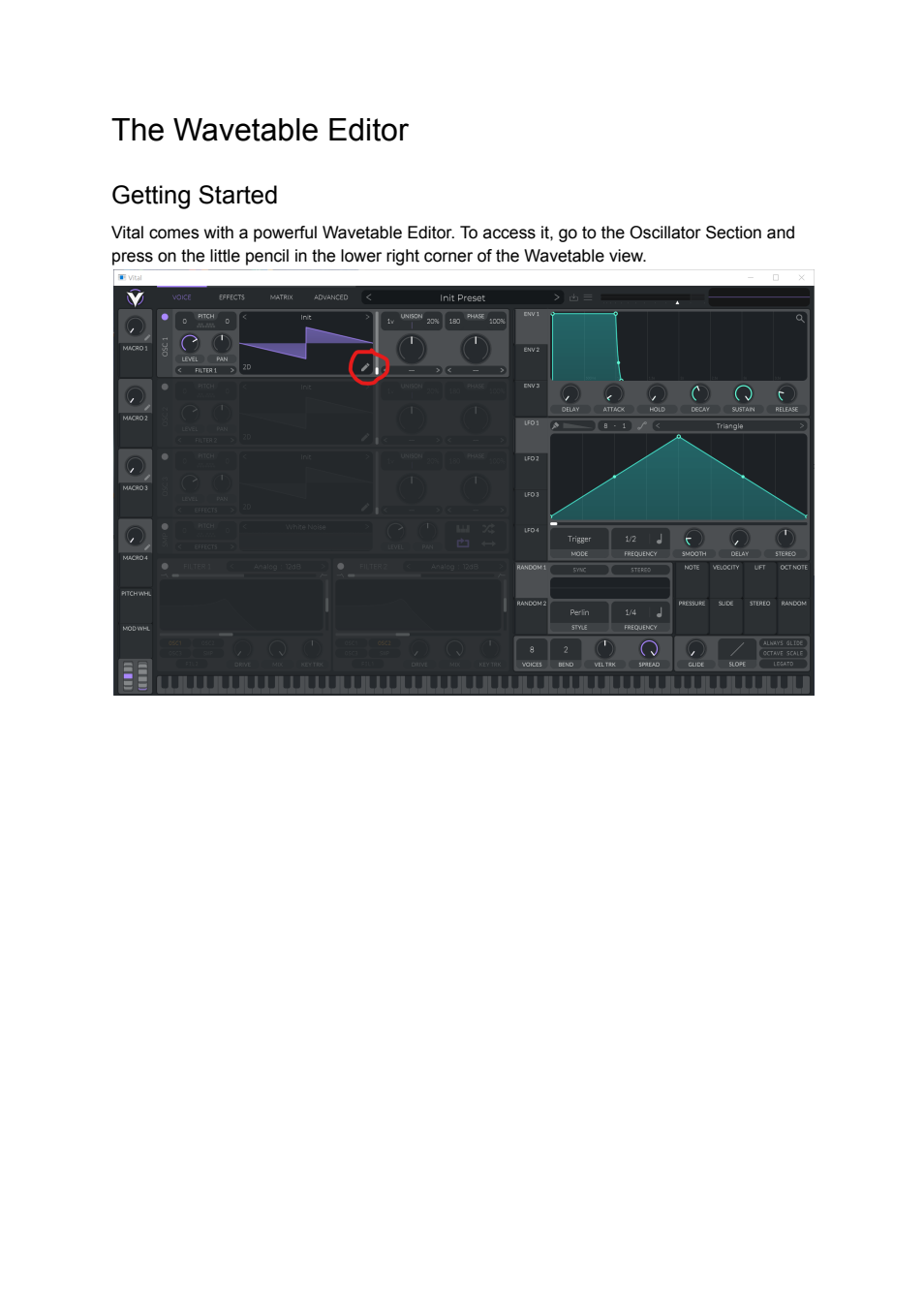
The pencil icon is circled as the route from the running oscillator to resource editing. Record which oscillator/resource is being edited. Entering the editor does not mean the rest of the preset ceases to matter.
Vital community documentation.pdf | Page 27 | documentation and visible configuration; not a new native test
Community manual / Page 27
Retained observation
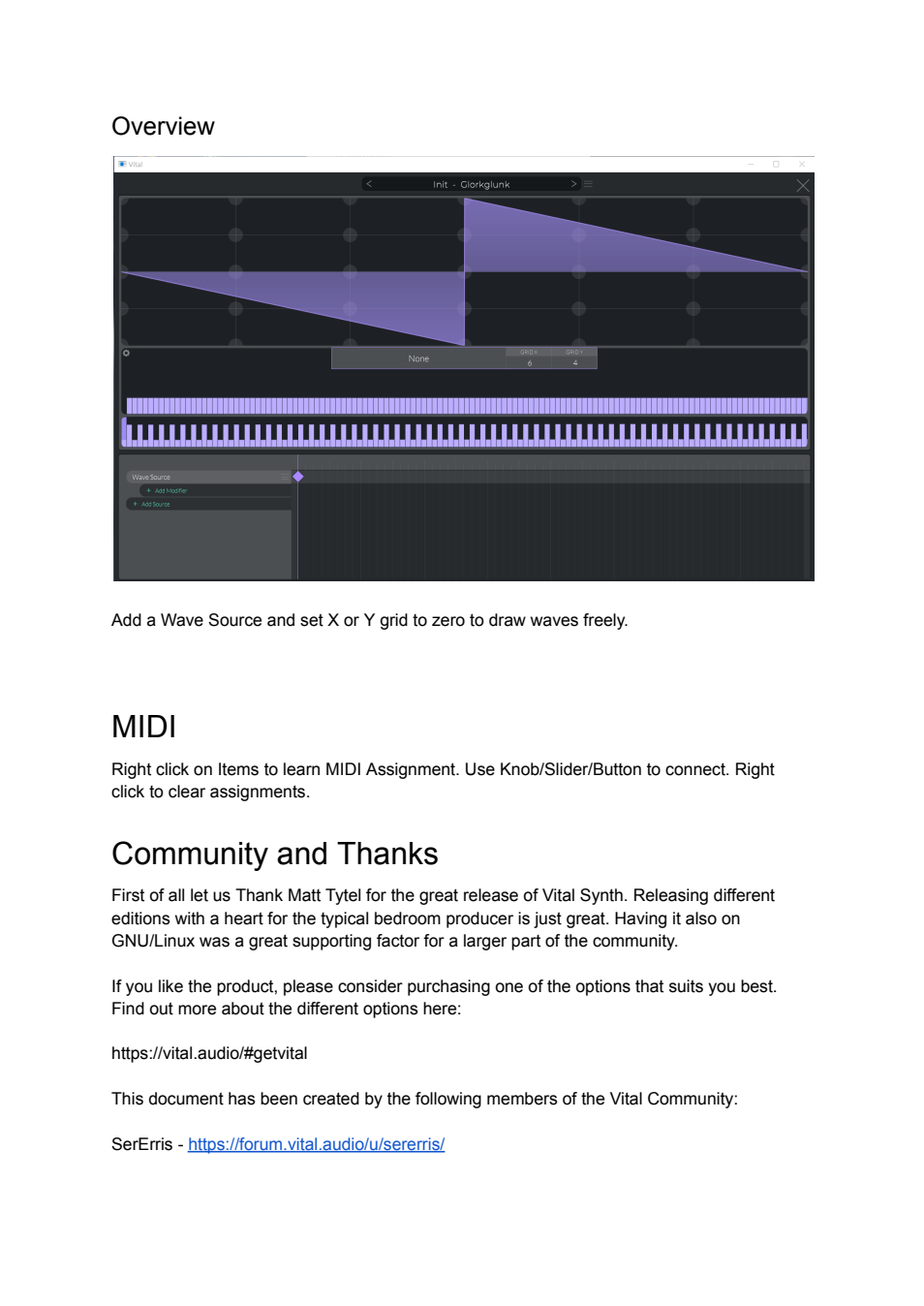
The editor view includes a source lane, frame timeline and harmonic bars. Turning the grid off enables freer drawing. MIDI Learn is described separately: mapping a controller is different from an internally stored modulation trajectory. The final credit text is retained for source attribution, not a new synthesis claim.
Vital community documentation.pdf | Page 28 | documentation and visible configuration; not a new native test
Community manual / Page 28
Retained observation
Contributor links complete the document. There is no additional synthesis figure on this page; preserved and inspected, with no inferred technical content.